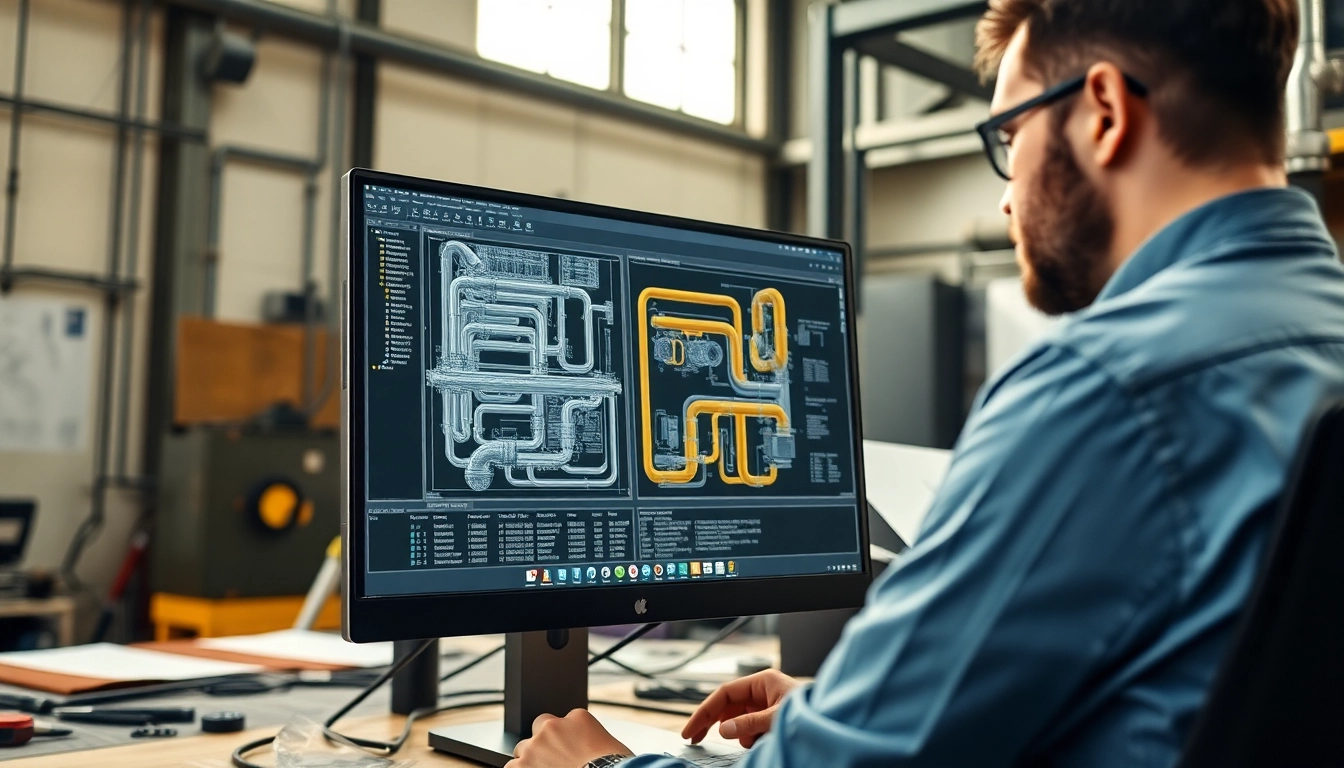
Understanding Plant 3D Spools Generation
What is Plant 3D Spools Generation?
Plant 3D spools generation refers to the systematic process of creating detailed drawings and manufacturing data for piping spools in 3D plant design software. In essence, it allows engineers and designers to break down complex piping systems into manageable segments, known as spools, which can be fabricated independently of the overall system. This approach facilitates easier assembly on-site, mitigates transit issues, and ensures consistency in manufacturing.
Importance of Spool Generation in Projects
The significance of effective Plant 3D spools generation cannot be overstated in the context of modern engineering projects. By improving efficiency in both design and construction phases, spools contribute substantially to time and cost savings. Spool generation enables accurate sequencing and organization of components, reducing the probability of errors during installation and ensuring that materials are ready when required. Furthermore, it enhances collaboration among different disciplines involved in project execution.
Basic Components of Spool Generation
Spool generation encompasses several key elements, including:
- Spool Components: Items such as pipes, fittings, and supports that make up the spool structure.
- Spool Drawings: Detailed representations of spools with schematics illustrating dimensions, materials, and assembly instructions.
- Spool Numbering: A systematic method of assigning unique identifiers to each spool to facilitate tracking and organization throughout the project lifecycle.
Setting Up Your Plant 3D Environment
System Requirements for Optimal Use
Before embarking on the journey of spool generation, it is essential to ensure that your system meets the necessary requirements for optimal performance. A strong workstation with sufficient memory, a high-end graphics card, and a reliable processor will significantly enhance the user experience in Plant 3D. Ideally, a system should have a minimum of 16 GB of RAM, a multi-core processor, and a dedicated GPU to manage renderings seamlessly.
Initial Configuration Steps
Upon ensuring your system specifications meet the requirements, the initial configuration steps include:
- Install Plant 3D Software: Follow the installation wizard to set up the software.
- Set Up Project Environment: Define project-specific settings, such as unit measurements and drawing standards, to align with company protocols.
- Configure Spool Generation Rules: Establish guidelines for how spools will be numbered, how data will be retrieved and displayed, and any additional attributes needed for the project.
Common Setup Challenges and Solutions
Even with proper preparations, you may encounter challenges during setup. Common issues include misalignments in drawing configurations, slow application performance, and difficulty in generating accurate spool data. To troubleshoot these issues:
- Consult the software documentation for detailed configuration settings.
- Reach out to technical support or community forums for collaborative problem-solving.
- Regularly update software to ensure you have the latest features and fixes.
Best Practices for Effective Spool Design
Standard Naming Conventions
Implementing standard naming conventions for spools is critical for maintaining organization within large projects. Consistent nomenclature is essential in enabling team members to quickly identify and locate spools. The naming convention should typically include:
- Project identifier
- Spool type or function
- Sequential number
Optimizing Layout for Accessibility
For effective construction and assembly, optimizing the layout of spools is paramount. Considerations for accessibility include ensuring that spools can be easily transported and assembled by workers on-site. Factors such as weight distribution, spatial constraints, and proximity to installation points should be taken into account when designing spool layouts.
Utilizing Templates for Consistency
Leveraging templates greatly enhances the efficiency of the spool generation process. Standardized templates not only save time but also ensure uniformity across all generated drawings. By utilizing pre-set specifications in the templates, engineers can focus on design modifications rather than starting from scratch every time.
Advanced Techniques in Spool Generation
Automating Spool Creation Process
Automation in the spool generation process significantly streamlines production and reduces errors. Automated scripts or predefined rules can be set up to facilitate batch processing of spools. For example, defining parameters for material types, dimensions, and specific fittings in advance allows for automatic updates to spool lists based on any changes made in the model.
Integrating Custom Attributes
Integrating custom attributes into the spool generation system generates additional metadata that can be crucial for downstream processes. Attributes such as weight, material type, and installation conditions can enhance the interpretability of spool information, allowing for more effective project management and communication among teams.
Using Third-Party Plugins for Enhanced Functionality
Many third-party plugins exist that can further enhance the capabilities of Plant 3D. These tools can provide additional functionalities, such as specialized reporting features, enhanced visualization options, and improved data management capabilities. Integrating such plugins can optimize the overall workflow and make complex processes more manageable.
Measuring and Optimizing Performance
Analyzing Spool Generation Efficiency
Regularly analyzing the spool generation process for efficiency is crucial in optimizing performance. This can be achieved by tracking the time taken to generate spools against industry benchmarks. Identifying bottlenecks in the process allows for targeted improvements and ensures that workflows remain agile.
Key Performance Indicators to Track
To effectively assess spool generation performance, consider tracking key performance indicators (KPIs) such as:
- Number of spools generated per day
- Time taken for spool creation
- Error rates in spool data
Continuous Improvement Strategies
Continuous improvement is essential for maintaining effectiveness in spool generation. Strategies include:
- Regular Training: Conduct workshops to keep team members updated on best practices.
- Feedback Loops: Establish mechanisms for gathering feedback from users to identify improvement areas.
- Benchmarking: Compare performance against industry standards to uncover potential enhancements.
FAQs
How does Plant 3D generate spool drawings?
Plant 3D generates spool drawings by assigning unique spool numbers to pipelines, simplifying management of fabrication drawings.
What are the benefits of using spools in Plant design?
Using spools reduces complexity during on-site assembly, enhances organization, and streamlines manufacturing processes.
Can I automate the spool generation process?
Yes, automation is achievable through scripts or plugins that define criteria for spool selection and creation based on specifications.
What is the role of templates in spool generation?
Templates standardize the spool generation process, ensuring consistent layouts and naming conventions across projects, enhancing efficiency.
How do I troubleshoot spool generation errors?
Common steps include checking spool parameters, reviewing configuration settings, and ensuring all components are properly defined.